Skip to content

How can you standardize shelf displays across all your stores without sacrificing local appeal or wasting time and effort? Inconsistent branding, redundant work, and confused shoppers are common hurdles. This guide offers a straightforward strategy that blends uniformity with flexibility. You’ll learn how to establish a core layout and choose the right display tools to maintain a cohesive look while adapting to regional preferences.
Key Takeaways
- Make a main plan that sets the shelves, signs, and product spots for each store.
- Use a fixed-versus-flexible matrix to keep your brand’s look the same while changing things to fit what each store needs.
- Standardization helps improve efficiency, sales, and brand trust, with ROI as high as 106.78%.
Create a Master Plan to Standardize Shelf Displays

A master plan acts as your single source of truth. It captures every decision about fixtures, signage, and product placement in one document. Without this blueprint, each store manager makes their own choices, and your brand slowly fragments across locations. The plan removes guesswork and gives every store the same starting point.
Define Specifications and Fixtures
Start by listing every fixture type your stores use. Include endcap displays, wall shelves, gondola units, window displays, and promotional feature displays. For each fixture, document the approved dimensions, materials, and mounting methods. You also need to decide which elements stay consistent chain-wide and which ones adapt by store. For example, the visual purpose and approved fixture families remain constant, while shelf depth and exact mounting positions can vary by location.
Your fixture choices directly affect how quickly staff can restock shelves. Stores with modern shelving systems experience up to 20% faster restocking times and streamlined stock rotation. These efficiency gains reduce labor costs and minimize out-of-stock situations. The same upgrades produce sales lifts of 8-12%, driven by better product accessibility and improved merchandising.
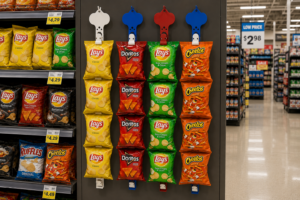
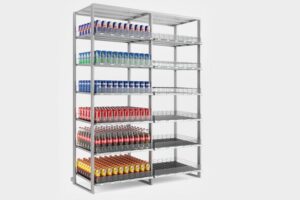
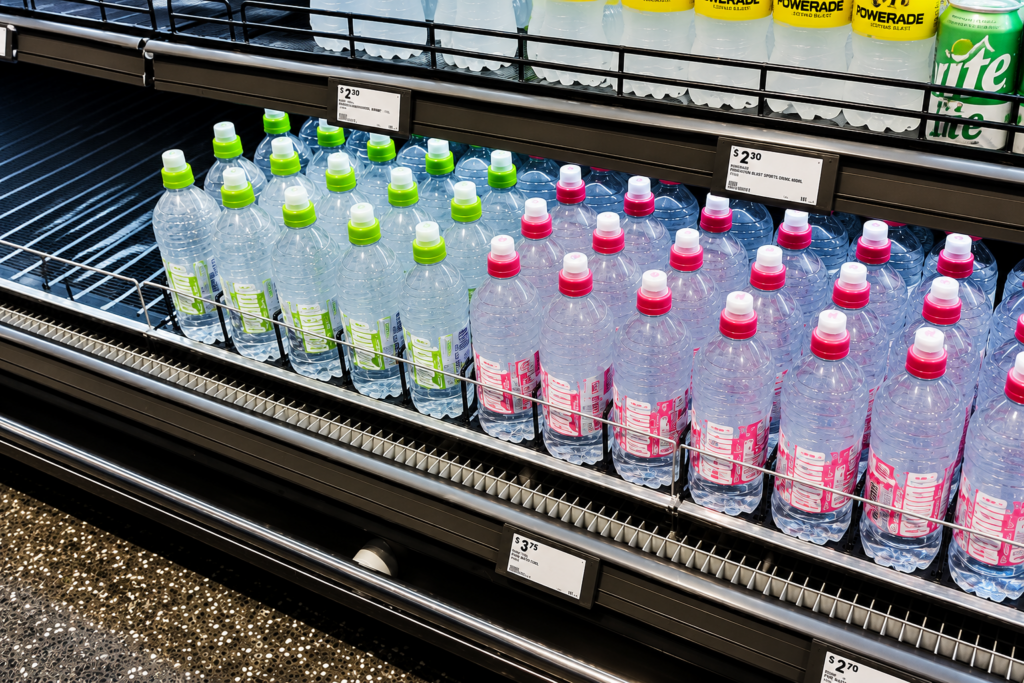
The Nova-day pusher system deserves a place in your master plan. Its spring-loaded pushers and dividers automatically move products forward as customers remove items. This mechanism keeps products front-facing without manual adjustment. The system works in ambient, cold, and chilled environments, and it supports inventory rotation by moving older stock forward first. Because the system does not rely on staff intervention, it maintains the same presentation standard across every store. Stores using this system achieve 50% more planogram efficiency and execute planograms twice as fast. Real-time shelf analytics provide daily tips, so managers can correct any fronting inconsistencies quickly.
Standardize Signage and Planograms
Signage and planograms work together to create a unified shopping experience. Your planogram defines exactly which product goes on which shelf, at what height, and with how many facings. Your signage standards cover pricing information, promotional messages, and category identifiers. Nova-day’s POS accessories, including shelf data strips and shelf talkers, help you standardize this information across all locations.
Planogram compliance directly impacts your bottom line. Average retail planogram compliance sits at approximately 60%. The total cost of non-compliance reaches about 1% of gross product sales, translating to $10-15 billion in lost sales across food, drug, and mass merchandising channels. High compliance improves product discovery, reduces stock issues, and increases conversion rates. Low compliance weakens merchandising effectiveness and reduces sales outcomes.
To enforce compliance, use planogram software that lets you design layouts and simulate their impact on customer flow. Mobile technology allows employees to access planograms on the go and make real-time updates. Image recognition tools compare actual shelf arrangements with your standards and notify managers of discrepancies. Data analytics refine your planograms based on which placements drive the most sales. Integrated inventory management systems automatically reorder low products, preventing stockouts and keeping planograms correctly populated.
Implement standardized shelving and display guidelines for visual consistency throughout the store. Establish routine cleaning and maintenance schedules to keep fixtures tidy and professional. Inconsistent maintenance undermines store aesthetics and customer perception.
Your master plan should also include photo-based validation. Store teams upload images of displays and signage for remote verification. This practice catches deviations early and keeps every location aligned with your brand standards.
Balance Consistency with Local Flexibility

Standardization does not mean locking every physical detail. A fixed-versus-flexible matrix helps you standardize shelf displays while allowing local adaptation. This approach protects brand cohesion while respecting real-world constraints.
Use a Fixed-Versus-Flexible Matrix
The matrix separates decisions into two columns. The fixed column protects brand identity. The flexible column allows site-specific adaptation. The rule is simple: standardize the decision, not every physical detail.
| Decision Area | Keep Consistent (Fixed) | Adapt by Store (Flexible) |
|---|---|---|
| Visual purpose | Approved appearance and merchandising role | Local assortment, shelf depth, viewing distance |
| Fixture family | Approved product families and substitution rules | Profile, accessories, quantity |
| Mounting | Approved mounting principles and safety requirements | Shelf material, brackets, clips |
| Maintenance | Replacement documentation and escalation rules | Access route, stock levels, local service method |
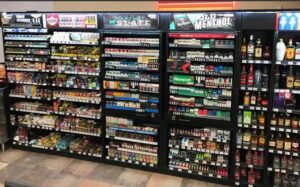
Consider Nova-day’s Tobacco Display Rack. You can standardize the rack’s core design across all stores. The rack maintains product fronting automatically with spring-loaded pushers. Yet you can customize size, color, and design to fit specific layouts. This hybrid approach works well for growing chains. Modular systems support reconfiguration. Fixed systems suit permanent zones. A combination often delivers the best results.
Synchronize Logistics and Gather Feedback
Synchronization keeps your standardized displays stocked and compliant. Lock down brand elements centrally. Allow flexibility in execution details. Set a master delivery schedule. Let each store choose its exact delivery window within that schedule. This balance prevents stockouts without breaking your supply chain.
| Synchronization Dimension | Centralized (Fixed) | Local (Flexible) |
|---|---|---|
| Brand elements | Signage, color, fixture design | Promotional arrangement within brand footprint |
| Scheduling | Master delivery schedule and launch date | Exact delivery time within approved window |
| Execution | Vendor selection, quality standards | Staging sequence, staffing plan |
Feedback loops drive continuous improvement. Use the Plan-Do-Check-Act cycle to test and refine display standards. Mobile apps let field teams report shelf conditions in real time. Compliance reports compare planned versus actual execution. Monitoring scorecards track compliance metrics over time. These methods help you standardize shelf displays while adapting to store-level realities. A rollout plan built only for consistency breaks when it meets a store that does not match the prototype. A plan built only for flexibility loses brand cohesion.
Standardizing shelf displays delivers measurable returns. Controlled tests show significant ROI across all store formats, with particularly strong returns in Cash & Carry formats. You gain stronger brand identity, lower operational costs, faster rollouts, and improved customer trust. Consistency comes from your master plan, the right fixtures, and flexible execution. Start by piloting your master plan in one challenging store, refine it, then scale. Consistency is a journey, not a one-time fix.
FAQ
What if my stores have very different layouts?
Use the fixed-versus-flexible matrix. Keep brand elements the same. Change shelf sizes and product placement to fit each store’s unique space.
How do I make sure stores follow the planogram?
Use photos and mobile apps. Store teams upload pictures for checking from far away. Data tools find differences and tell managers right away.
What is the first step to start?
Make a master plan. Write down every shelf, sign, and rule for where products go. This plan is the one guide for all stores.