Skip to content


You can make a smart shelf system by following simple steps. First, check what your store needs. Then, pick the best technologies. Plan how to set up the system. Connect it with inventory and POS systems. Use analytics to watch inventory and set alerts. Teach your staff how to use the system. You get real-time inventory, fewer empty shelves, and happier customers. The system helps customers find products fast and gives them more details. Customers have a fun and easy shopping experience.
| Stakeholder | Benefit | Description |
|---|---|---|
| Retailers | Improved Inventory Management | Real-time data shows stock levels and stops empty shelves, so popular items stay in stock. |
| Shoppers | Convenience | Real-time tracking helps keep items in stock for customers. |
| Shoppers | Increased Product Information | Detailed product information helps customers choose what to buy. |
| Shoppers | Interactive Shopping | Touch screens make shopping more fun and interesting for customers. |
Key Takeaways
- Look at what your store needs before you use a smart shelf system. Know what you have in stock and your planogram to pick the best technology.
- Use real-time inventory tracking to stop running out of items and make customers happier. This helps keep shelves full and makes shoppers pleased.
- Teach your staff well on how to use the smart shelf system. Keep training them so they feel sure using the technology and keep inventory correct.
- Use data analytics to make your smart shelf system better. Check important numbers often to find ways to improve.
- Pick good technology partners like Nova-day for your smart shelf system. Their products can help your store work better and make customers enjoy shopping.
What Is a Smart Shelf System
Core Technologies
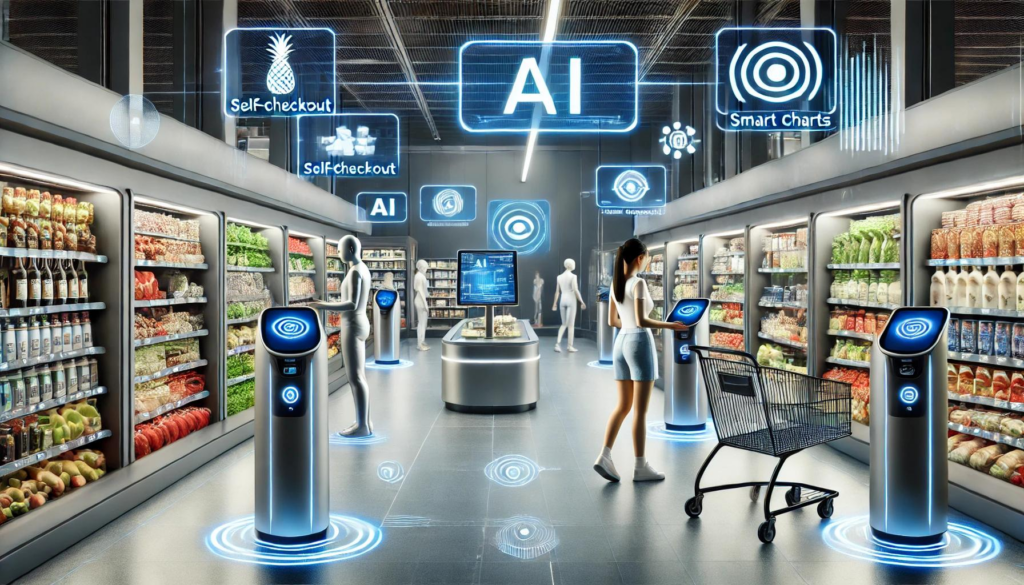
A smart shelf system uses special tools to help stores. These tools include sensors, cameras, and ai. They watch products and keep shelves neat. The main goal is to make shelf checking easy and correct.
Here is a table that lists the main parts of a smart shelf system:
| Component Type | Examples |
|---|---|
| Technology | Weight Sensors, RFID Technology, Camera-Based Systems, Microcontroller Systems |
| Application | Inventory Management, Pricing Management, Promotion Management, Customer Engagement |
| End Use | Supermarkets, Convenience Stores, Department Stores, Specialty Stores |
| Component | Hardware, Software, Services |
ai is used in many places in the system. For example, ai can tell if a shelf is empty or if a product is in the wrong spot. It can also learn about what customers do by looking at camera videos.
Smart shelf systems use different technologies to help stores:
- RFID tags let you follow items without seeing them.
- IoT sensors notice when things are put on or taken off shelves.
- Vision analytics and weight sensors send alerts if something is wrong.
- Computer vision and ai work together to know when shelves need more products or when customers touch items.
- ai helps stop mistakes and keeps inventory correct.
How It Works
You can follow easy steps to see how a smart shelf system works. The system uses ai and sensors to watch shelves all the time. Here is a table that shows the usual steps:
| Step | Description |
|---|---|
| 1 | Add product details like weight, expiration date, shelf spot, and how many you want in stock. |
| 2 | The system checks inventory all the time to see if it goes below your set number. |
| 3 | When stock is low, the system sends a restock alert with product details to workers. |
| 4 | The system watches expiration dates and sends alerts if something is old. |
| 5 | Inventory updates by itself in your database using data from smart scales and sensors. |
With ai, you get updates and alerts right away. This helps you act fast and keep shelves full. It is also easier to handle sales and prices because the system can change info quickly. Smart shelf systems make shelf checking simple, correct, and fast.
Benefits for Modern Retail Stores

Inventory Accuracy
Smart shelf systems help stores keep track of items. Sensors and smart inventory control watch every product on shelves. You do not have to count items by hand anymore. The system checks stock and sends alerts when you need more. This makes inventory management easy and correct.
Shelves with weight sensors keep an eye on each item. They see when customers pick up products or when stock gets low. You always know what is on your shelves. This stops empty spots and keeps customers happy.
Here is a table that shows how smart inventory control helps your store:
| Benefit | Description |
|---|---|
| Improved Accuracy | Real-time monitoring and data analytics eliminate manual inventory errors. |
| Increased Efficiency | Automation reduces time and effort in inventory management. |
| Cost Savings | Optimized inventory levels minimize carrying costs and reduce waste. |
| Enhanced Customer Satisfaction | Ensures product availability and improves shopping experience. |
| Competitive Advantage | Quick response to market changes and customer needs through smart technology. |
Pilot studies show stores can have more products available. Product placement also gets better in many stores. Smart inventory control lets you see your stock clearly and helps you make good choices.
Customer Experience
Smart shelf systems make shopping easy and fun. Customers find products faster because shelves stay full. Visual merchandising is easier, so you can show products well.
Customers like stores where they do not search for items. Real-time inventory management means customers see what they want. Smart shelves give more product information to help customers choose. This makes shopping better and builds trust.
You can use visual merchandising to guide customers. Smart inventory control keeps products in the right place. Customers enjoy a clean store with clear product displays.
- Smart shelf systems offer personalized shopping for customers.
- They provide real-time inventory data, making shopping quick and easy.
- Visual merchandising and smart inventory control work together to improve the customer journey.
Operational Efficiency
Smart shelf systems help stores save time and money. Smart inventory control cuts down on manual work and mistakes. Staff do not need to check shelves all day. The system alerts you when stock is low or needs restocking.
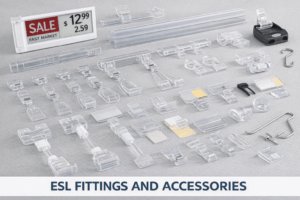
Smart shelves use sensors, cameras, and RFID to track products. Digital shelf labels replace paper tags. This makes visual merchandising faster and more accurate. Your team can help customers instead of fixing shelves.
Smart inventory control helps with inventory management. You get fewer empty shelves and better product displays. The system keeps shelves neat and products easy to find. Customers notice and enjoy their shopping trip.
Tip: Use smart inventory control to make your store run better and give customers a great shopping experience.
How to Build a Smart Shelf System
Assessing Store Needs
You begin by checking what your store needs. Stores are not all the same. You look at your shelves and inventory. You also check your planogram. Decide if you want shelves that stay the same or change. Think about your inventory plan and planogram rules. Decide how much automation you want. Check if you need RFID or cameras for your smart shelf system.
Here is a table to show the main things to think about:
| Key Factor | Description |
|---|---|
| Technology Preferences | RFID helps you track inventory. Cameras help with planogram and customer actions. |
| End-user Industry Focus | Retail stores need fast inventory checks and good shelf management. |
| Shelf Types | Fixed shelves are good for simple plans. Convertible shelves help with flexible plans and product placement. |
| Functionalities | Inventory control and stopping theft are important for your plan. |
| Deployment Models | Cloud solutions help you grow your smart shelf system. On-premise gives you more control. |
| Sustainability | Eco-friendly ways cut waste and make things better. |
| Automation Demand | Automation makes shelf management easier and saves money. |
You also check if your smart shelf system is worth the money. You use numbers like Net Present Value, Internal Rate of Return, and Life Cycle Costing. These help you see if your plan will work and if your planogram will help your store.
| Economic Metric | Description |
|---|---|
| Net Present Value (NPV) | Shows profit by looking at money in and out. |
| Internal Rate of Return (IRR) | Finds the rate that makes NPV zero. |
| Life Cycle Costing (LCC) | Looks at all costs from buying to throwing away. |
You use these numbers to make smart choices for your plan.
Choosing Technologies and Partners
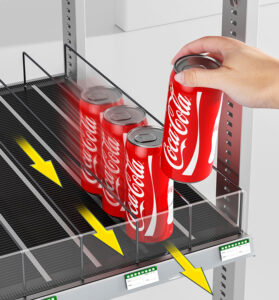
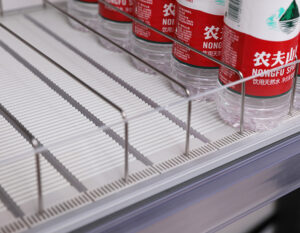
Pick the best technology and partners for your smart shelf system. Find products that fit your planogram and store plan. Nova-day has shelf pushers, shelf roller tracks, POS accessories, and plastic shelf edge strips. These help with shelf management and planogram rules.
Use these ideas to pick your partners:
- Focus on business goals and planogram rules for your plan.
- Find partners who help with training and updates.
- Pick companies that help with changes and show how the smart shelf system helps your store.
- Keep checking success to make sure your plan matches your goals.
Nova-day is special because you get custom sizes, strong materials, and smart features. You can match colors and sizes to your planogram. You get wireless updates for inventory and planogram rules.
| Feature | Description |
|---|---|
| Customization | Choose sizes and colors for your planogram. |
| Durability | New materials last a long time. |
| Smart Features | Wireless updates for inventory and planogram rules. |
Tip: Pick partners like Nova-day who give good products and help your plan for shelf management.
Planning and Installation
Plan your installation step by step. Look at your planogram and decide where to put each smart shelf part. Use Nova-day’s shelf pushers and shelf roller tracks to keep products neat and in front. Make sure your planogram matches your plan for product placement.
You may face problems during installation. You might see high costs, security worries, or trouble connecting systems. Use this table to see common problems and fixes:
| Challenge | Description |
|---|---|
| High implementation costs | Smart shelf system can cost a lot. |
| Security concerns | IoT devices need strong security. |
| Integration complexities | Connecting smart shelf system to inventory and POS can be hard. |
| Technological limitations | Hardware and software may not work for big stores. |
| Customer resistance | Some customers may not like automated shopping. |
Work with skilled vendors and IT experts. Test your smart shelf system often. Train your staff to use the system and follow your planogram.
Integration with Inventory and POS
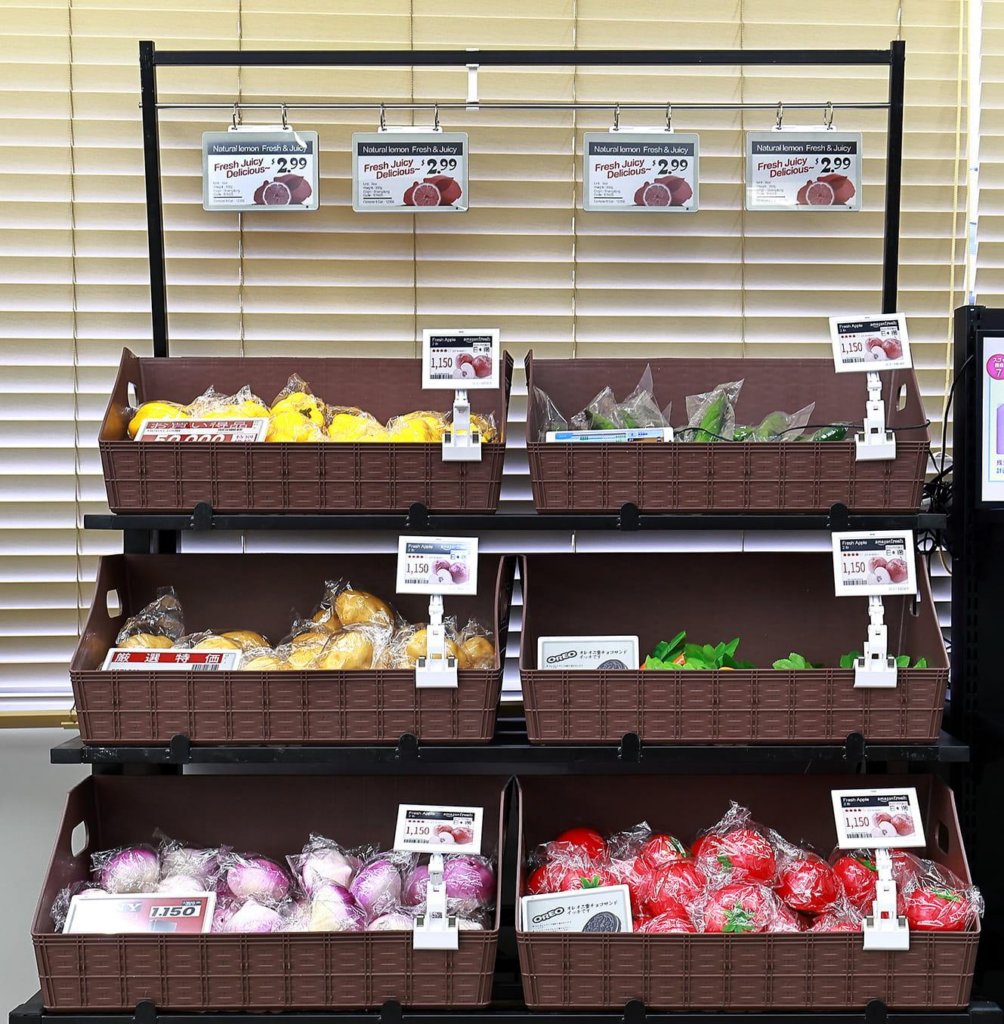
Connect your smart shelf system to your inventory and POS software. This gives you real-time updates and keeps your planogram correct. Use Nova-day’s POS accessories and plastic shelf edge strips to make price changes easy and keep planogram rules.
Follow these steps to connect your systems:
- Set goals for your planogram and inventory plan.
- Check your current system for ways to use automation.
- Pick IoT solutions that fit your budget and planogram.
- Start a test project for your smart shelf system.
- Install sensors, tags, and Nova-day shelf pushers for shelf management.
- Connect your inventory software for data sharing and planogram rules.
- Train your staff to use the smart shelf system and follow your planogram.
- Watch data to find trends and improve your plan.
- Grow your smart shelf system across your store for better results.
Keep your data safe. Use APIs and standard rules for easy connection. Plan your budget to handle costs.
Here is a table showing how connecting systems helps your plan:
| Benefit | Description |
|---|---|
| Eliminates Pricing Errors | Real-time prices stop mistakes and help planogram rules. |
| Enhances the Shopping Experience | Customers get deals and promotions right away. |
| Reduces Labor Costs | Automation updates prices and inventory, saving time. |
| Boosts Sales with Dynamic Pricing | Fast price changes help your plan and planogram. |
Data Analytics and Alerts
Use data analytics and alerts to make your smart shelf system better. Watch inventory and planogram rules in real time. Use Nova-day’s shelf pushers, shelf roller tracks, and cameras to track products and customer actions.
You get these benefits from analytics and alerts:
- Real-time inventory checks stop out-of-stock problems and help planogram rules.
- Predictive analytics help you plan restocking and improve your plan.
- Weight sensors and cameras find low stock and misplaced items for shelf management.
- RFID tags track inventory and stop theft.
- AI cameras and image recognition help you learn about customer likes and planogram results.
Smart shelf monitoring uses AI and computer vision to keep shelves neat. You get ideas about customer actions and product choices. Use this info to make your planogram and plan better.
Here is a table showing how analytics help inventory:
| Evidence | Description |
|---|---|
| Reduce stockouts | AI forecasting lowers stockouts by up to 35%. |
| Lower excess inventory | Stores cut extra inventory by 20%. |
| Inventory syncing | Syncing inventory across channels stops overselling. |
Use smart shelves to automate inventory checks. Keep popular items ready for customers. Cut manual checks and let staff help customers. Make your store run better and improve your plan.
Staff Training
Train your staff to use the smart shelf system and follow your planogram. Explain clearly about the benefits for customers and your plan. Use workshops, online tools, and hands-on lessons. Help your staff learn how to use Nova-day’s shelf pushers, shelf roller tracks, and POS accessories for shelf management.
Here is a table showing training ways:
| Training Method | Description |
|---|---|
| Clear Communication | Explain benefits to lower resistance and help planogram rules. |
| Ongoing Training | Use workshops and online tools to teach staff about inventory and planogram. |
| Comprehensive Training Programs | Hands-on lessons help staff use smart shelf system and follow your plan. |
Keep training your staff so they stay up to date. Show them how the smart shelf system helps performance and planogram rules. Build trust and help your team make smart choices.
Note: Staff training is important for smart shelf system success and planogram rules.
Follow these steps to build a smart shelf system that fits your plan. Use Nova-day’s custom solutions for shelf management and planogram rules. Improve inventory, help customers, and boost performance.
Overcoming Challenges
System Integration
It can be hard to connect smart shelf systems to old store technology. Many stores use old systems that do not work with new tools. You must make sure your smart shelf monitoring tools work with your current software. The table below lists some common problems you might face:
| Challenge Type | Description |
|---|---|
| Compatibility Issues | Old systems are tightly connected, so adding new tools is hard. |
| Operational Constraints | It is hard to see how everything works together, so managing is tough. |
| Data Fragmentation | Data can get split into different types, which causes mistakes. |
You can fix these problems by working with partners who know both old and new systems. Plan each step of the integration carefully. Test every part before using it in your store. This keeps your inventory data correct and easy to use.
Data Security
Smart shelf systems use a lot of private information. You need to keep your store and customers safe. Here are some risks and ways to fix them:
- Weak passwords let the wrong people in. Use strong passwords and two-step checks.
- Sending data without protection lets others see it. Use encryption and safe ways to send data.
- Old software can let hackers in. Update your devices often and use automatic updates.
- Unsafe network services are easy for hackers to attack. Turn off what you do not need and keep networks separate.
- Not enough access controls let people see things they should not. Use roles and keep track of who tries to get in.
- Storing data without protection puts your store and customer info at risk. Always use strong security for storage.
When you follow these steps, your inventory stays safe. Your customers will trust you more if you protect their data.
Staff Adoption
Your team needs to feel good about using new technology. Some staff may worry about changes or new jobs. You can help by showing how the smart shelf system makes work easier. Give simple training and let them ask questions. Use hands-on lessons so they can learn to track inventory and use the system every day.
Tip: Celebrate small wins when your team uses the new system well. This helps everyone feel good and learn faster.
You build a strong team when you support your staff. They will help keep your inventory right and your store running well.
Maintenance and Optimization
Regular Checks
You keep your smart shelf system working by checking it often. Nova-day’s shelf pushers and shelf roller tracks are made from strong materials. These parts last a long time and do not break easily. You do not need to fix them much, so you save time. Your shelves stay neat and look nice. Nova-day’s technology helps you spend less time on maintenance in these ways:
- Automated inventory management means you do not check shelves by hand.
- Electronic shelf labels cut about 95% of the work for pricing.
- Your team spends 80% less time changing prices, so they can help customers more.
You should make a plan to check your system on a schedule. Look at sensors, labels, and shelf parts to see if they work right. This keeps your inventory correct and your store looking good.
Leveraging Analytics
You can use analytics to make your smart shelf system better. By watching important numbers, you see how your system is doing. You also find ways to improve it. The table below shows what you should track:
| KPI | Description |
|---|---|
| Update Response Time | Measures how fast price changes happen in your store. |
| Accuracy Rate | Tracks how often prices are right, which builds customer trust. |
| Sales Lift from Dynamic Pricing | Looks at sales growth when you change prices quickly. |
| Customer Satisfaction Scores | Shows if customers are happy with correct pricing. |
You use these numbers to find problems early. You can fix things before they hurt your inventory or upset customers. Analytics help your store run well.
Ongoing Training
You help your team do well by giving them training often. When staff know how to use the smart shelf system, your inventory stays right and your store looks good. Training covers many things, as shown in the table:
| Training Aspect | Benefit to Smart Shelf Systems |
|---|---|
| Shelf organization and stock rotation | Stops stockouts and keeps shelves tidy |
| Use of planograms | Makes sure products are easy to find |
| Safe handling and inventory checks | Lowers damage and keeps counts right |
| Regular updates to training | Keeps staff ready for new tools and trends |
You should update training often. This helps your team learn new things and feel sure about their work. When everyone knows what to do, your inventory stays in order and your smart shelf system works well.
You make a smart shelf system by planning each step. Pick the right technology for your store. Connect your tools so they work together. Keep your system updated to stay current. Begin by checking what your store needs. Look at Nova-day’s solutions for help. Smart shelves let you see inventory right away. They help stop mistakes and make shopping easier. Customers find products quickly and get more details. They enjoy shopping without touching everything. Customers see prices and promotions clearly. They trust your store more. They spend less time looking for things. They get fresh products every time. They notice shelves are neat and tidy. They feel safe because data is correct. They come back for a good experience. They tell others about your store. You pay less for labor. Restocking happens faster. Sales go up. Use sensors, apps, and analytics to learn more.
| Benefit | Impact |
|---|---|
| Labor cost reduction | Up to 30% |
| Faster restocking | Up to 20% |
| Sales lift | 8-12% |
| ROI timeline | 12-18 months |
Tip: Keep learning about smart shelf systems. This helps customers and grows your store.
FAQ
How do smart shelf systems help you manage inventory?
Smart shelf systems track products in real time. You see what is on the shelf and what needs restocking. You get alerts when stock is low. This helps you avoid empty shelves and lost sales.
Can you use Nova-day’s products with your current shelves?
Yes, you can use Nova-day’s shelf pushers, roller tracks, and edge strips with most standard shelves. You do not need to buy new shelving. Nova-day offers custom sizes to fit your needs.
What training do your staff need for a smart shelf system?
You should give your staff simple, hands-on training. Show them how to use the system, check alerts, and restock products. Nova-day provides easy-to-follow guides and support.
How do smart shelf systems improve the shopping experience?
Smart shelf systems keep shelves neat and full. Customers find products quickly. Prices and promotions update in real time. This makes shopping faster and more enjoyable.