Skip to content


Good display design makes Mobile Phone Stores fun spaces. It puts customers first. You sell more items easily. Just let shoppers touch live devices. Let them test phones too. This hands-on experience builds trust fast. It turns shoppers into buyers quickly.
Still, you face daily store problems. You must stop device theft. Yet phones stay easy to reach. You need clear price labels too. Good signs help buyers decide fast. They keep your counters tidy.
Key Retail Insight: Touch displays and safe price tags turn shoppers into buyers.
Key Takeaways
- Make clear store paths with bright areas.
- This guides shoppers to top devices easily.
- Use fun test spots with safe cords.
- Shoppers can try live phones safely now.
- Protect wall items with anti-theft display hooks.
- This helps stop quick shoplifting today.
- Show clear price tags and specs clearly.
- Use shelf strips to build fast trust.
- Put matching accessories near main phones.
- This helps boost extra store sales easily.
Layout Strategies for Mobile Phone Stores

Smart store layouts boost sales. They keep buyers happy. Good fixture setups guide shoppers easily.
Defining High-Traffic Focal Zones
First looks shape the whole shopping trip. Put specialized display counters near your main entrance. Use clear acrylic displays on primary tables. Show off your newest flagship devices here.
💡 Retail Layout Tip: Bright focal zones grab visitor attention fast. They drive foot traffic to top devices.
Put high-margin items in high-visibility areas. Clear sight lines draw shoppers inside Mobile Phone Stores.
| Zone Type | Best Display Fixture | Primary Objective |
|---|---|---|
| Entrance Zone | Clear Acrylic Displays | Grab immediate attention |
| Main Aisle | Specialized Display Counters | Show flagship devices |
| Perimeter | Wall Shelves & Slat Walls | Showcase accessories |
Optimizing Floor Flow and Aisles
Clear paths stop crowds. They stop customer anger too. Arrange retail aisles to guide shoppers smoothly. Move them from window displays to test stations.
- Keep main aisles wide for two people.
- Stop clutter near key decision points.
- Place wall shelves neatly on outer walls.
This neat flow guides shoppers through product groups. People shop longer when walking is easy.
Creating Interactive Experience Islands
Modern buyers want to test devices first. Place interactive experience islands in central floor spots. Mix solid display counters with nearby wall shelves. Store matching accessories right on them.
Interactive islands let shoppers touch live smartphones. They test and compare items easily. A hands-on setup builds strong product trust. This fun space creates buyers in Mobile Phone Stores.
Integrating Live Device and Accessory Security
Pricey add-ons need smart safety tools. Stop theft without ruining shopper fun. Safe setups build a good store. They help users find items.
Deploying Nova-day Anti-theft Display Hooks
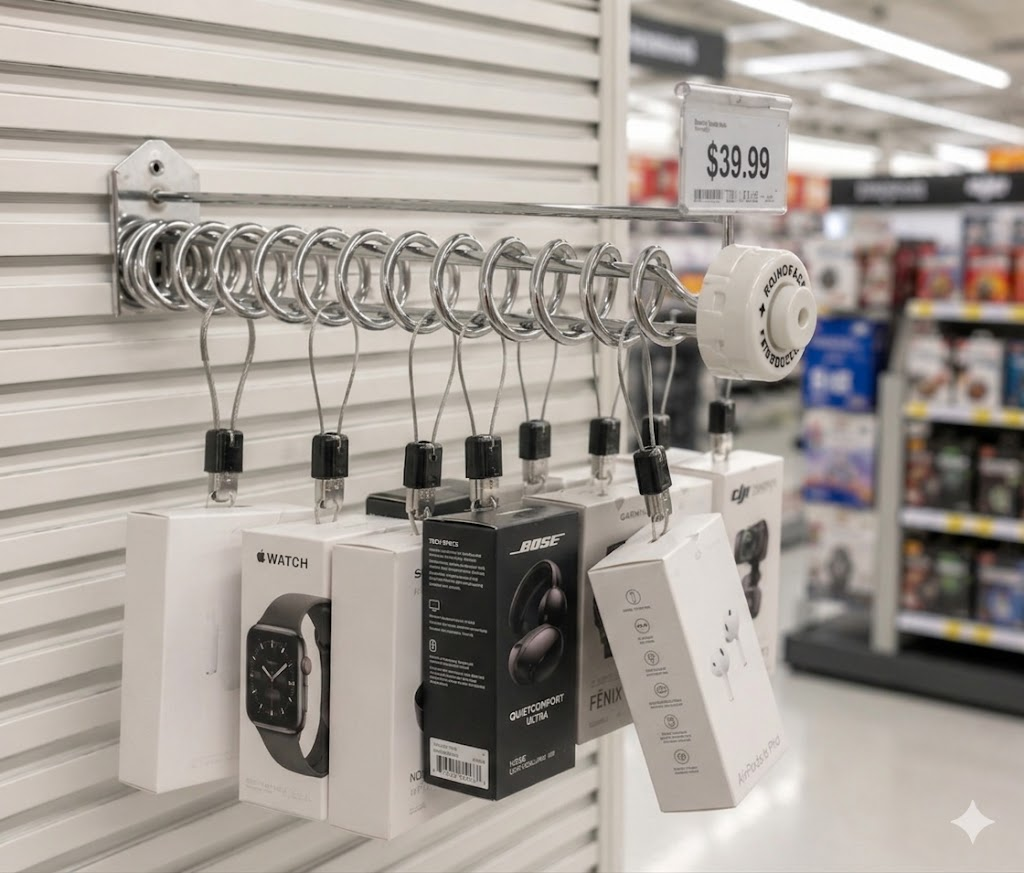
Packs of small gear get stolen. Put Nova-day Anti-theft Display Hooks on wall boards. These metal hooks lock tight. A label spot shows prices below.
+-------------------------------------------------------+
|  [Nova-day Anti-theft Hook]                           |
|  ===[ Lock Mechanism ]=============================>  |
|     |-- Packaged Item (Charger / Audio Gear)          |
|     |-- [ Integrated Price Tag Holder ]               |
+-------------------------------------------------------+
Smart safety stops loss. Good buyers get easy access.
| Security Feature | Functionality & Mechanism | Anti-Theft Effect |
|---|---|---|
| Spiral Hook Mechanism | Twist a knob to free goods | Stops quick theft sweeps |
| Proprietary Magnetic Key | Special magnet opens the lock | Blocks fake magnet tools |
| Integrated Peg Locks | Locks right onto wall boards | Keeps hooks on walls |
Nova-day safety hooks keep shelves neat. Workers use key magnets for fast sales.
| Impact Category | Mechanism / Outcome |
|---|---|
| Shoplifting Prevention | Gives out one item per turn. |
| Product Accessibility | Lets buyers touch one item. |
Balancing Open Access with Loss Prevention
Locked cases hurt your store sales. Waiting for help annoys shoppers. Many visitors walk away. Online shopping gets chosen instead. Safe cord displays raise buying moods. People love trying products first. Fun testing drives quick sales.
[ Locked Glass Cabinet ]  -->  Customer Waits  -->  25%+ Abandon Purchase
[ Live Tether Display  ]  -->  Immediate Touch -->  Higher Purchase Intent
Build trust with open testing. Strong cords stop store theft. Good Mobile Phone Stores win today. Touch tables draw big crowds.
Streamlining Power and Tether Management
Ugly power cords ruin store looks. Hide wires inside display counters.
- Elevated Store Image: Neat cords look clean and pro. They boost brand trust.
- Mitigation of Physical Risks: Tying wires prevents bad falls. People walk with ease.
- Fire Prevention & Compliance: Clean wire setups prevent fires. Stores follow city rules.
Hidden wires keep eyes on phones.
| Store Area / Aspect | Aesthetic Enhancement | Safety Improvement |
|---|---|---|
| Interactive Counter | Hides bad wire clutter. | Stops bad cord trips. |
| Customer Experience | Makes stores look nice. | Keeps people safe. |
Good wire setups protect store gear. Clean setups turn visitors into buyers.
Visual Hierarchy and Pricing Communication
Clear tags help buyers choose fast. Bad signs lose buyers. Clean tags build quick trust.
Implementing Nova-day POP Pricing Systems
Nova-day POP systems show prices clearly. Put shelf strips on channels. Strips show key details fast. Mount reflex holders on rails. They bend on impact. They hold deal posters up. Nova-day shelf talkers snap on. They show big deals.
+-------------------------------------------------------------+
| [Nova-day Reflex Sign Holder] -> "Save $20 Today!"           |
| +---------------------------------------------------------+ |
| | Flagship Smartphone Model X                             | |
| +---------------------------------------------------------+ |
| [Nova-day Shelf Edge Strip]  -> Specs | $49/mo | $799 Total |
+-------------------------------------------------------------+
Clear tags shape buyer minds. Honest prices speed up sales:
- Intuitive Value Perception: Cash discounts look great. Cash savings beat math.
- Anticipated Regret: Sale tags trigger quick fear. People buy fast.
- Reduced Cognitive Load: Easy price tags save time. Buyers jump on deals.
| Signage Fixture | Mounting Location | Primary Retail Function |
|---|---|---|
| Shelf Edge Price Strips | Shelf Channel | Displays specs, SKUs, and exact pricing |
| Reflex Sign Holders | Metal Rails & Fixtures | Displays promotional graphics with flexible bases |
| Shelf Talkers | Front Shelf Lip | Highlights immediate discounts and new arrivals |
Organizing Accessories with Nova-day POS Accessories
Messy shelves ruin store looks. Full racks hide true prices. Nova-day POS tools keep gear tidy.
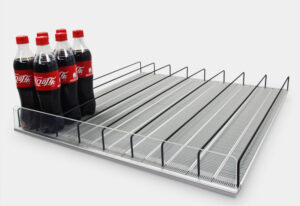
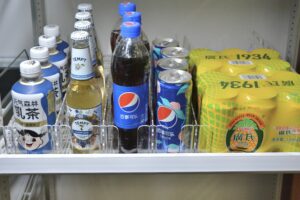
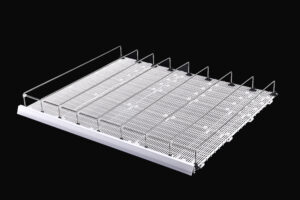
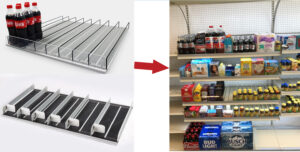
Data strips snap on shelves. They hold tags straight. Add Nova-day pushers and dividers. Pushers slide gear forward.
💡 Merchandising Tip: Spring pushers keep shelves full. They stop empty looks. They keep stores fancy.
Good setup keeps shelves neat:
- Dividers split case sizes.
- Data strips guard price tags.
- Pushers stop front shelf gaps.
Tidy shelves look very high-class. Staff fix shelves less often.
Cross-Selling Accessories Beside Flagship Phones
Smart setups lift store sales. Place top add-ons by test phones in Mobile Phone Stores. People buy cases after testing.
+-------------------------------------------------------------+
| [ Live Flagship Smartphone ]  ===>  [ Adjacent Shelf Wall ] |
|  - Hands-on Display                 - Matching Phone Cases  |
|  - Interactive Features             - Fast Wall Chargers    |
|                                     - Wireless Earbuds      |
+-------------------------------------------------------------+
Drive cross-selling with these tricks:
- Adjacent Placement: Hang cases and plugs right near test phones.
- Product Bundling: Bundle cases and screens with new phones.
- Staff-Driven Cross-Selling: Have staff show chargers during phone talks.
Nova-day hooks and pushers guard gear right by phone stands. You offer safe items that sell well daily.
Strategic Lighting and Aesthetic Enhancements
Smart lights fix store moods. They show off cool phone features. Bright setups draw shoppers close. They make devices look great.
Highlighting Devices with LED Strips
Put LED strips on shelf edges. High-CRI lights show true colors well. They match natural sunlight. This builds total buyer trust fast.
| Lighting Metric | Implementation Technique | Observed Impact on Shoppers |
|---|---|---|
| High-CRI (≥ 90) | Soft light on table edges | Shows true colors and phone style |
| LED Upgrade | Hidden LED strips under shelves | Lifts sales by two percent |
| Cool Temperature | Cool lights over top phones | Shows clean and modern style |
Cool lights look very modern. Hidden LEDs make phones pop out.
Reducing Screen Glare on Displays
Bad light glares block clear screens. Glare makes tired shoppers leave fast. Tilt top spotlights at smart angles. Avoid straight down light beams.
💡 Retail Lighting Tip: Use soft light panels. Soft light stops harsh screen glares. People read phone specs easily.
Even light makes shopping very easy. People test phones much longer.
Using Clear Acrylic Displays for Visibility
Solid bases hide slick phone designs. Clear acrylic stands fix this fast.
- Enhanced Visual Focus: Clear stands show phones best. People watch only phone features.
- Integrated Security Monitoring: Clear stands help staff watch items. No big walls block eyes.
Clear bases make phones look fancy. Safe tools protect store stock.
Optimizing the Customer Conversion Path
Every store area drives sales. Smart layouts build top buyers.
Designing High-Impact Window Displays
Front windows make first impressions. Bold signs draw new foot traffic fast. Clear deals beat heavy decors easily. Keep window signs direct and bright. Clean looks pull shoppers inside fast.
Guiding Traffic in Mobile Phone Stores
Smart paths lead shoppers through top goods. Guide shoppers using easy layout steps:
- Decompression Zone Entry: Let visitors slow down near doors.
- Rightward Pathing & Power Wall: Put top phones on right walls. Shoppers turn right naturally.
- Speed Bumps: Put test tables in main aisles. Stop traffic to test products.
- Anchor Points: Draw buyers deep into Mobile Phone Stores. Use bright service counters.
A counterclockwise path shows key add-ons. Shoppers see items before buying.
Streamlining the Path to Checkout
Register spots drive last add-on sales. Put small goods near checkout stands.
| Checkout Display Setup | Strategic Implementation | Recommended Product Types |
|---|---|---|
| Register-Proximity Positioning | Put high-margin items by registers. | Branded phone grips and audio adapters |
| Eye-Level Merchandising | Put goods at waist and eye levels. | Popular screen protectors and charging cords |
| Curated Layout | Show few items to stop confusion. | Top-selling phone cases and power banks |
Neat counters speed up final payments fast. They boost daily store sales easily.
Smart setups lift store sales fast.
First, fix floor paths. Easy paths guide shoppers well.
Next, guard high-value items. Use Nova-day Anti-theft Display Hooks.
Finally, show clear prices. Use Nova-day POS accessories.
💡 Retail Action Plan: Better setups boost sales. They keep items safe too.
These smart tools raise profits. They make shoppers happy in Mobile Phone Stores.
Fix your store setups today! Make more money now!
FAQ
💡 Quick Retail Advice: Clear signs and safe displays boost store profits.
How do anti-theft display hooks protect merchandise while maintaining open access?
Nova-day safety hooks use strong metal locks. Staff open them with magnetic keys. Customers touch packaged goods with ease. Yet, these hooks stop fast theft. Thieves cannot steal many items at once.
Why should you implement standardized POP pricing systems on shelf edges?
Clear price tags help buyers decide fast. Nova-day shelf strips show exact costs. They display specs and deal details clearly. This neat look builds quick consumer trust. It raises your total store sales fast.
How do interactive experience islands increase mobile phone store sales?
Hands-on tables let shoppers test live phones. Trying devices builds deep customer trust. Place test phones near matching accessories. This smart setup creates easy extra sales.
What is the best way to organize accessories for effective cross-selling?
Put top accessories right near flagship phones. Use Nova-day shelf pushers and dividers. They keep cases and chargers lined up. Neat displays push buyers to purchase item bundles.