Skip to content


You want your store to shine on opening day. A good Retail Display Checklist helps you spot problems before customers walk in. Nova-day’s smart display solutions make your setup look sharp and professional. When you prepare well, you set yourself up for more sales and happier shoppers. Use this checklist with your team to stay organized and stress-free.
Key Takeaways
- Use a Retail Display Checklist to make sure your store looks nice and neat on opening day.
- Check stock often and keep shelves full. This helps you avoid problems and makes customers happy.
- Teach your team how to take care of displays. This keeps your store looking good every day.
- Match your display goals with your marketing plan. This brings in more shoppers and helps you sell more.
- Ask staff and customers for feedback. This helps you make your displays and store layout better all the time.
Why a Retail Display Checklist Matters
Boosting Sales and Experience
You want your store to feel inviting the moment customers walk in. A Retail Display Checklist helps you get there. When you use a checklist every day, you make sure your store looks its best. Shoppers notice when shelves are tidy and products are easy to find. This positive first impression can turn a quick visit into a longer shopping trip.
Let’s look at how a checklist can help you boost sales and create a better experience:
| Benefit | How It Helps Your Store |
|---|---|
| Store Preparation | You stay ready for customers and create a welcoming space. |
| Sales Opportunities | You line up your tasks with your sales goals. |
| Visual Appeal | You make displays look great, which brings in more shoppers. |
When you focus on visual merchandising, you can increase foot traffic and sales. A Retail Display Checklist keeps you on track, so you never miss a chance to impress your customers.
Preventing Last-Minute Issues
No one likes surprises right before opening. You might find missing price tags, empty shelves, or messy displays if you skip your checklist. These problems can slow you down and make your store look unprepared. With a Retail Display Checklist, you catch these issues early. You fix them before shoppers arrive.
Tip: Walk through your store with your checklist each morning. You will spot problems before they become bigger headaches.
You save time, reduce stress, and make sure your team feels confident. When you handle small issues early, you set the stage for a smooth and successful day.
Define Display Objectives
Align with Store Goals
Displays should do more than look nice. They need to help your store reach its goals. Maybe you want to sell more items or show off new products. You might want to make your brand stronger. Clear display objectives help you stay on track. You can use different ways to make sure your displays fit your store’s needs.
Here’s a simple table that shows how display objectives match store goals:
| Method | Description | Benefits |
|---|---|---|
| Category Management | Group products by what shoppers like. | Helps sales and keeps your brand strong. |
| Goal-Setting Frameworks | Set clear goals for displays and match them to products. | Makes displays easy to manage and boosts visibility. |
| Multifunctional Alignment | Get ideas from different departments for one plan. | Supports your strategy and avoids mixed messages. |
Start by thinking about your main goals. Do you want to sell more of something? Are you trying to make your store feel special? Using these methods helps your displays work better for you.
Tip: Talk with your team about store goals before setting up displays. Everyone will know what you want to do.
Integrate Marketing Strategy
Displays should connect with your marketing plan. This helps you reach more shoppers and makes your store stand out. There are several ways to link display objectives to your marketing strategy:
- Learn how your customers shop. This helps you make displays that catch their eye.
- Build a strong brand identity. Shoppers trust stores that look neat and professional.
- Use both traditional and digital promotions. Signs, posters, and online ads can all help.
- Make your store environment welcoming. Good displays make people want to stay longer.
- Offer great customer service. Friendly staff and clear displays keep shoppers happy.
- Create a smooth experience everywhere. Whether shoppers visit in person or online, displays should feel connected.
When you link displays to your marketing strategy, your store feels organized and friendly. Shoppers notice your hard work and want to come back.
Understand Your Audience
Identify Shopper Preferences
You want your displays to match what shoppers like. To do this, you need to know who comes into your store. Start by looking at simple facts about your customers. These facts help you learn what they like and how they shop.
| Demographic Factor | Importance in Retail Audience Preferences |
|---|---|
| Age | Different age groups like different products and styles. |
| Income | Helps you set prices and choose products that fit your shoppers’ budgets. |
| Occupation | Shows which items or services match local jobs and interests. |
| Family Structure | Tells you if families or singles shop more, guiding your product choices. |
| Population Trends | Lets you know if your area is growing or changing, so you can adjust displays. |
| Lifestyle | Gives clues about values and hobbies, helping you connect with shoppers. |
Big companies use these facts all the time. Citibank’s “Live Richly” campaign used what people think about money to make ads that felt personal. LinkedIn made their UEFA Women’s Euro Cup campaign special by learning most women wanted more female role models. You can do this in your store too. When you know your shoppers, you make better choices.
Tip: Ask your team to watch who shops most. Write down what they buy and when they come in. This helps you see patterns.
Tailor Displays for Engagement
You can get shoppers interested by making displays that fit their likes. Stores study how people walk around and what catches their eye. They look at things like how long shoppers stop at a display or which items get picked up most.
- Study what shoppers like and how they act to put displays where people see them.
- Use numbers like how many people touch products or how long they stay to see what works.
- Try testing different displays and using real-time data to make displays and messages better.
For example, Best Buy used interactive displays for Ecobee products. Shoppers spent time looking, watched videos, and used the display. In one month, they saw thousands of sessions and video views. This shows that knowing your audience helps you make displays that get attention and boost sales.
Note: Change your displays often. Keep things new so shoppers stay interested and want to come back.
Store Layout and Design

Optimize Traffic Flow
You want shoppers to move easily through your store. When you plan your layout, you help customers find what they need and discover new products. Here are some simple ways to make your store flow better:
- Clear sight lines: Make sure people can see important areas like customer service and special promotions from anywhere in the store.
- Impulse purchase displays: Place small, high-margin items near the entrance. Shoppers often grab these on their way in.
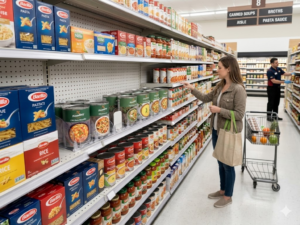
- Logical product zones: Group similar products together. Use signs and color coding so shoppers know where to go.
- Wide aisles: Keep aisles at least four feet wide. This makes shopping comfortable and safe, even when it’s busy.
- Strategic lighting: Use bright lights to make products look their best. Natural light and LED lights work well.
- Effective signage: Put up clear, easy-to-read signs. Multilingual signs help everyone find their way.
- Cross-merchandising: Place items that go together in the same area. For example, put chips near salsa.
- Optimized checkout area: Make the checkout fast and easy. Place last-minute buys here to boost sales.
Tip: Walk your store as if you’re a customer. Notice where you stop, what you see first, and how easy it is to move around.
Highlight Key Products
You want your best products to stand out. The right display can turn a quick look into a sale. Here are some top techniques:
| Technique | Description |
|---|---|
| Lighting | Use bright, focused lights to make featured items pop. Softer lights create a relaxed mood. |
| Digital Merchandising | Try video screens or interactive kiosks for a dynamic, modern feel. |
| Product Grouping | Put items that go together in one spot. This makes shopping easier and encourages extra purchases. |
| Store Layout Optimization | Arrange your store so shoppers want to explore and find new things. |
| Storytelling and Themes | Use themes or stories in your displays to connect with shoppers on an emotional level. |
You can also try these display tricks:
- Start at the window. A great window display draws people inside.
- Show prices clearly. Shoppers trust you more when they see the price.
- Use the pyramid principle. Arrange products in a triangle shape to guide the eye.
- Keep displays simple. Clean and organized looks better than clutter.
- Get creative! Unique materials or designs make your store memorable.
Note: Change your displays often. Fresh displays keep shoppers curious and coming back.
Brand Consistency
Unified Signage and Colors
You want your store to feel familiar every time shoppers visit. When you use the same colors, fonts, and style in your signs, you build trust. Shoppers notice when your displays look professional and match your brand. They feel safe and confident because your store feels predictable.
The mere-exposure effect shows that the more people see your brand, the more they like and trust it. Familiar brands make shoppers feel comfortable and reduce uncertainty.
Here’s how you can keep your signage and colors consistent:
- Pick a color palette and stick with it. Use the same colors for signs, price tags, and displays.
- Choose one font for all your signs. This keeps your store looking neat.
- Write messages in the same tone. If your brand is friendly, use friendly words everywhere.
- Make sure your signs match your store’s values. Honest signs build trust.
- Keep your design simple and professional. Shoppers like clean displays.
- 66% of shoppers only buy from brands they trust.
- Predictable signs and visuals help shoppers see your store as competent.
- Changing your look too often can make shoppers feel uneasy.
Tip: Walk through your store and check if every sign matches your brand colors and style. If something looks out of place, fix it before opening.
Visual Merchandising Standards
You want your displays to look great and stay organized. When you follow clear standards, your store feels welcoming and easy to shop. Here are some simple ways to keep your displays consistent:
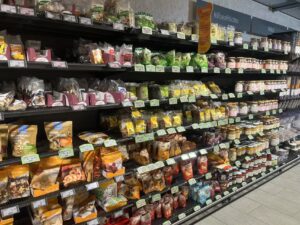
- Place products neatly and keep shelves tidy.
- Follow your planogram so every item sits in the right spot.
- Use displays that highlight key products and create focal points.
- Make sure lighting shows products in their best light.
- Use signs and promotions that match your brand.
- Keep your store clean and free of clutter.
- Keep displays simple and focused.
- Put best-selling items at eye level.
- Make displays look the same in every store location.
- Change displays often to keep things fresh.
- Use clear signs so shoppers know what they see.
- Avoid messy displays and keep everything clean.
Note: When you use these standards, your store feels organized and trustworthy. Shoppers will remember your brand and want to come back.
Retail Display Checklist Essentials

You want your store to look great on opening day. A Retail Display Checklist helps you remember every important detail. Let’s look at what you need to check before your first customer comes in.
Nova-day POP Pricing Systems
It is important to have the right prices. Shoppers want to see the correct price every time. Nova-day POP Pricing Systems make this simple for you. You can change prices fast, so there are no mistakes. Digital displays show prices and deals clearly. Customers trust stores that show honest prices.
Here is how Nova-day POP Pricing Systems help your store:
- You can change prices right away. You do not need to write new tags or worry about mistakes.
- Shoppers see prices and product details that are easy to read.
- Customers come back because they know you care about being correct.
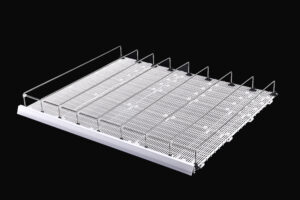
You can also use shelf edge price strips, reflex sign holders, and POP clips. These tools help you keep products neat and make displays look nice. Nova-day’s tools fit most store shelves, so you can set up your store the way you want. When you use these systems, shopping is easier for everyone.
| Benefit | Description |
|---|---|
| Real-time price updates | Customers always see the right price, so there is less confusion. |
| Enhanced transparency | Deals and product details are easy to see, making shopping better. |
| Elimination of discrepancies | Shoppers feel sure about prices and trust your store, so they want to come back. |
Tip: Check your pricing systems every morning. Make sure all prices match your deals and what you have in stock.
Signage and Print Quality
Signs help shoppers find things and show your brand. You want your signs to look good and last all day. Good signs help customers find products and see deals. Nova-day has sign holders and poster displays that keep your signs neat and easy to see.
Follow these steps to make your signs stand out:
- Use your logo and your store’s colors.
- Put signs at eye level where lots of people walk.
- Pick fonts and colors that are easy to read.
- Show prices and deals to get attention.
- Use strong materials that last a long time.
- Measure your space so signs fit just right.
You can use Nova-day reflex sign holders and magnetic sign holders for easy changes. These products let you switch signs fast and keep displays looking new. When you check your signs as part of your Retail Display Checklist, your store looks neat and honest.
| Component | Description |
|---|---|
| Design and Branding | Signs should match your store’s look and style. |
| Visibility | Put signs where shoppers can see them easily. |
| Legibility | Use clear fonts and colors so everyone can read your signs. |
| Durability | Pick materials that last and stay clean. |
| Scalability | Make sure signs fit your space and can be changed if needed. |
Note: Walk around your store before opening. Check every sign for spelling, where it is, and how it looks.
Security and Anti-theft Solutions
Security keeps your products safe and your store running well. You want to protect expensive items and stop theft. Nova-day has smart tools like the Tobacco Display Rack and Anti-theft Display Hook. These products help you keep things safe without making displays messy.
Here are some top security features to use:
- Smart locks for electronics and small things.
- Hooks with alarms, like Nova-day’s Anti-theft Display Hook, for accessories and tools.
- Spider tags for boxes. These make noise if someone tries to steal.
- EAS antennas at doors. They beep if someone leaves with unpaid items.
- Clear signs to warn people not to steal.
- Good cameras and mirrors to watch the store.
- RFID and EAS systems to help track your products.
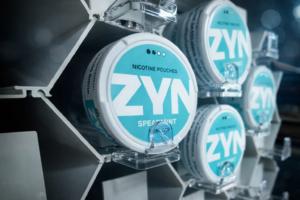
Nova-day’s Tobacco Display Rack uses pushers and lockable trays. This keeps tobacco products in place and safe. You can change racks to fit your store. The Anti-theft Display Hook locks products and has a spot for price labels.
Alert: Always check your security systems before opening. Make sure alarms, locks, and cameras work right.
A Retail Display Checklist should have security checks. You want to find weak spots and fix them before shoppers come in. When you use Nova-day’s tools, you keep your products safe and make your store a good place to shop.
| Security Solution | How It Helps Your Store |
|---|---|
| Anti-theft Display Hook | Locks products and stops people from taking them. |
| Tobacco Display Rack | Keeps tobacco items safe and neat. |
| Spider Tags & EAS System | Warns staff if someone tries to steal expensive things. |
| Cameras & Mirrors | Helps you watch the store and stop theft. |
| Clear Signage | Tells thieves not to steal and makes honest shoppers feel safe. |
Tip: Go over your security checklist with your team. Everyone should know how to use locks, alarms, and cameras.
You want your store to feel safe and friendly. When you check these important things, you are ready for a great opening day.
Inventory and Stock Readiness
Verify Stock Levels
You want to open your store with every shelf full and ready. Checking your stock levels helps you avoid surprises. Here’s a simple way to make sure you have what you need:
- Plan your stock check. Pick a time when the store is quiet or closed.
- Gather your team. Make sure everyone knows their job.
- Divide your store into sections. This makes counting easier.
- Organize your products. Line them up so you can see everything.
- Use tools like barcode scanners or tablets. These help you count faster and make fewer mistakes.
- Write down the number and type of each item. Double-check your numbers.
- Update your records. Make sure your system matches what you counted.
Tip: Always review your numbers before you finish. This helps you catch any mistakes early.
You can also use forms or checklists to keep track of what you find. When you check your stock often, you spot missing items and fix problems before they grow.
Organize Storage
A tidy stockroom saves you time and keeps your team happy. You want to find products fast and restock shelves without stress. Try these easy steps:
- Use shelves and bins that you can move or adjust. This helps when your products change.
- Label every shelf and storage zone. Big, clear labels make it easy to find things.
- Put popular items near the front. This way, you grab them quickly when you need to restock.
- Check your stockroom often. Clean up messes and put things back in the right place.
- Keep a simple map of your storage area. New team members will thank you!
Note: When your storage stays organized, you spend less time searching and more time helping customers.
A well-organized stockroom means you always know what you have. You can restock fast and keep your store looking great for every shopper.
Technology and Equipment Setup
Getting your tech ready is just as important as stocking your shelves. You want everything to work smoothly when your first customer walks in. Let’s break down what you need to do.
Test POS Systems
Your point-of-sale (POS) system is the heart of your store. If it fails, you can’t make sales. You need to check every part before opening day.
- Power on each POS terminal and run a test sale. Make sure you can scan items and process payments.
- Try out the payment devices. Swipe a card, tap for contactless, and print a receipt. Everything should work without a hitch.
- Check your network and Wi-Fi. You want a strong connection so your POS talks to your back-office system.
- Test your security systems. Make sure alarms and cameras work. You want to keep your store safe from the start.
- Write down any problems you find. Assign someone to fix them right away.
Tip: Do a full tech check the night before opening. You’ll feel more confident and ready for anything.
Set Up Digital Displays
Digital displays can make your store pop. They grab attention and help shoppers learn about your products fast. The human brain processes visuals much faster than text, so digital screens work better than old-school signs.
| Feature | Why It Matters |
|---|---|
| Visual Processing Speed | People notice digital displays right away. |
| Attention Capture | Digital screens catch eyes 400% better than static signs. |
| Brand Message Effectiveness | Digital displays share your brand story almost 50% better. |
| Customer Engagement | Shoppers like to touch and try products. Interactive screens help. |
| Market Growth | Smart displays are becoming more popular every year. |
You can use interactive screens to let shoppers explore products or watch videos. Some displays even track where customers stand, so you can show special deals just for them. When you set up your digital displays, you help shoppers control their journey and discover new favorites.
Note: Keep your screens clean and update your content often. Fresh displays keep people interested and coming back.
Staff Training and Engagement
Display Maintenance Training
You want your displays to look good every day. Training your team helps make this happen. Start with clear guides and pictures. Show your team what a good display looks like. Use real examples in your store. Let your team watch and try the steps. This hands-on practice helps them remember what to do.
Keep training going with reminders and feedback. Give your team tips so they stay sharp. Digital lessons are great for big teams. You can share videos or quizzes with everyone. In-person help is best for tricky displays. If you have a new or hard setup, walk your team through it.
Here’s a quick look at the best ways to train:
| Training Method | Description |
|---|---|
| Visual Reference Materials | Written guides and pictures show what is expected. |
| Practical Demonstrations | Hands-on practice helps turn learning into action. |
| Regular Reinforcement | Reminders and feedback keep skills strong. |
| Digital Training Modules | Online lessons make it easy to train many people. |
| In-Person Coaching | Direct help makes hard setups easier and faster. |
Tip: Use different training styles. Mix pictures, practice, and feedback to help your team learn and remember.
Assign Roles
You want your team to work well together. Giving everyone a clear job helps keep displays looking nice. Start by teaching staff to use quick messages. Text and live chat help your team fix problems fast. They can also answer customer questions right away.
Next, set up autoresponders. Pick someone to manage these tools. This way, customers get answers fast and feel cared for. Sort tickets by how urgent they are. Choose team members to handle the most important problems first. This helps you fix things quickly and keeps your store running well.
Here’s how you can give out jobs for better displays and service:
- Teach staff to use messaging for fast talking.
- Pick someone to run autoresponders for quick replies.
- Choose team members to solve urgent display or customer problems.
Note: When everyone knows their job, your store stays neat and your displays always look great.
Final Walkthrough and Optimization
Pre-Opening Inspection
You want your store to look perfect before the doors open. A final walkthrough helps you catch anything you missed. Walk through each area with your checklist in hand. Check every detail, from the lights to the signs. Make sure everything works and looks great.
Here’s a simple table to guide your inspection:
| Category | Checklist Items |
|---|---|
| Legal & Compliance | Permits, certificates, safety, and local rules are complete. |
| Physical Store | Fixtures, lighting, restrooms, floors, doors, and customer areas are ready. |
| Technology | POS, payments, network, printers, and inventory systems are tested. |
| Security | Alarms, cameras, locks, and emergency exits are working. |
| Operations | Supplies, cleaning, waste removal, and opening routines are set. |
| Merchandising | Floor set, planograms, pricing, signage, and displays meet your standards. |
Tip: Test your POS terminals and payment devices. Run a test sale to make sure everything works. Check your security systems and walk through safety procedures with your team.
You want your team to feel ready. Make sure everyone knows their job and who to ask if they need help. A good walkthrough gives you peace of mind.
Gather Feedback
You can always make your store better. Ask your staff and first customers what they think about your displays. Listen to their ideas and watch how they shop. Sometimes, you learn the most from small comments or questions.
- Ask your team what works and what feels confusing.
- Invite customers to share their thoughts about the displays.
- Watch which displays get the most attention.
- Change things that don’t work and try new ideas.
A sportswear store once learned that a jacket wasn’t selling because it didn’t fit the local weather. After listening to customers, they changed the display and sold more. Your shoppers can help you spot what needs fixing.
Note: Keep testing and updating your displays. When you use feedback, you make your store better for everyone.
Downloadable Retail Display Checklist
Ready to make your store shine? You can grab a Nova-day branded Retail Display Checklist and start using it right away. This checklist helps you stay organized and makes sure nothing gets missed before opening day. When you use a checklist, you give your team clear steps and boost your confidence.
You might wonder what makes a good checklist. It should be easy to use and cover all the important tasks. You want something that helps you track progress and assign jobs. A digital checklist lets you update things fast and see changes in real time. You can share it with your team and keep everyone on the same page.
Here’s what you’ll find in a great downloadable template:
| Feature | Description |
|---|---|
| Organization by function | Tasks are grouped by what they do in the store. |
| Prioritization of tasks | Important jobs stand out so you finish them first. |
| Clear ownership assignment | Each task has a person in charge. |
| Digital tools for tracking | You can update and check off tasks on your phone or computer. |
| Regular updates | The checklist stays fresh and accurate with frequent changes. |
Tip: Print your checklist or use it on your device. Check off each item as you go. You’ll feel more prepared and less stressed.
Checklists give you a simple way to follow best practices. You get structured guidance that helps your team work together. Stores that use checklists see better results and fewer mistakes. You can improve your displays and make your store look professional every day.
Want to get started? Download your Nova-day Retail Display Checklist now and make your opening day a success!
You want your store to open with no trouble. A Retail Display Checklist helps you stay safe and save money. It also helps your team work well together. Nova-day’s solutions make displays look neat and safe. Checklists help you keep shelves tidy for every season. Here is what you get:
| Benefit | How It Helps You |
|---|---|
| Improves Safety and Security | Protects your staff and inventory |
| Saves Money by Ensuring Compliance | Avoids fines and keeps your reputation strong |
| Streamlines Customer Service | Makes shoppers happy and loyal |
| Enhances Communication | Helps your team work better |
| Ensures Operational Consistency | Keeps your store ready every day |
| Adapts to Seasonal Needs | Prepares you for holidays and promotions |
Keep your checklist up to date. Try these ideas: Review your planograms often. Change shelf layouts when you get new products. Update your checklist for each season.
Remember to download your Nova-day checklist template. You will feel ready and sure for a great opening.
FAQ
How often should you update your retail display checklist?
You should check your display checklist every week. If you have new products or promotions, update it right away. This keeps your store fresh and helps you catch problems early.
What makes Nova-day’s POP Pricing Systems different?
Nova-day’s POP Pricing Systems let you change prices fast. You can show clear prices and deals. The system fits most shelves and helps you keep displays neat and accurate.
Can you customize Nova-day display solutions for your store?
Yes, you can customize Nova-day products. You pick sizes, colors, and styles. This helps your displays match your brand and fit your store layout.
Why is signage quality important for your store?
Good signs help shoppers find products and see deals. Clear signs build trust and make your store look professional. You want signs that last and stay easy to read.
How do anti-theft display hooks help your store?
Anti-theft display hooks lock products in place. You keep valuable items safe and organized. Shoppers can see prices and details, but only staff can unlock the products.