Skip to content


You do not need to fix shelves by hand as much with automatic merchandising. Modern solutions keep products in place and neat, so you do not spend a lot of time restocking. AI-driven inventory management helps you guess what you need better, so you can plan your workers more easily. One-touch replenishment and easy-to-use platforms help staff update shelves fast. Retailers save labor by making inventory checks better and cutting down training time for new workers.
Key Takeaways
- Automatic merchandising cuts down on shelf work. This saves time and keeps things neat. AI-driven inventory management helps stores plan staff shifts better. Electronic shelf labels can save 12 hours of work each week. They do this by changing prices automatically. Automated systems can cut shelf work time by 60%. This helps stores save a lot of money. Pilot programs let stores try automatic merchandising first. They can test it before using it everywhere.
Automatic Merchandising Explained

What Is Automatic Merchandising?
Automatic merchandising uses tech to help stores with less work. These systems keep products facing forward and track how much is left. They can also change prices without moving things by hand. This saves time and helps stop mistakes.
Nova-day is a leader in this area. They have smart tools for store displays. You can use shelf pushers, roller tracks, and ESL tools to keep things neat. These tools work in grocery stores, pharmacies, and drink aisles. You do not have to spend a long time fixing shelves or looking for empty spots.
Here is a table that shows the main parts and tech in automatic merchandising:
| Component/Technology | Description |
|---|---|
| Purchasing Budgets | Make budgets and split them into plans for merchandise. |
| Assortment Plans | Pick products that fit your store’s needs using clear rules. |
| Allocation Systems | Give each store the right amount of products for its size and needs. |
| Replenishment Systems | Watch sales and guess when you need to restock items. |
| Markdown Management | Handle extra inventory and plan sales before lowering prices. |
Key Automated Retail Processes
Automatic merchandising is very different from doing things by hand. Manual work takes a lot of time to change prices, check stock, and set up displays. Teams may spend 30-40% of their time on these jobs. Automation lets you finish big projects in hours, not weeks.
Some common automated processes are self-checkout kiosks, smart vending machines, and order processing. These systems can cut work hours by up to 60% for things like data entry and checking stock. You can get alerts when shelves need more products and fix problems from far away. This saves even more time. Nova-day’s tools help you keep shelves full and neat with less work, so your team can help customers more.
Retailers Save Labor with Nova-day Solutions
Reducing Manual Shelf Tasks
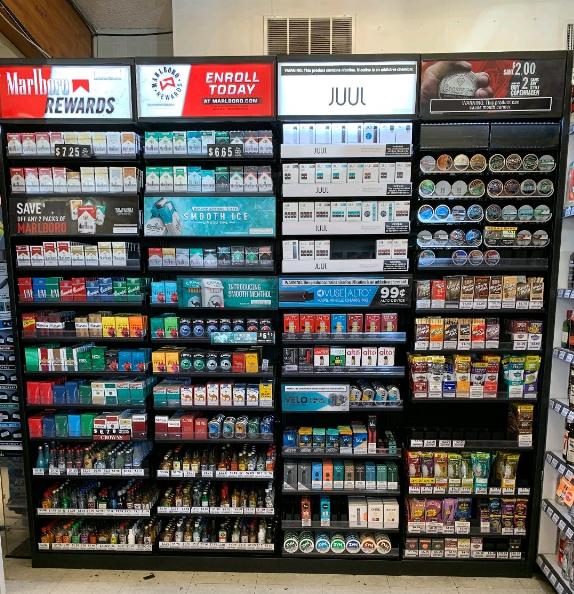
You can cut down on shelf work by using Nova-day’s pusher system. This system uses a spring-loaded mechanism to push products forward. Shelves stay neat, and you do not need to move items by hand as often. Staff save time during restocking, and customers find what they want faster. In many stores, restocking time improves by 30%. The table below shows how the pusher system changes daily work:
| Metric | Before | After |
|---|---|---|
| Units/facing/day | 1.8 | 2.3 |
| Stock-out % | 7% | 2% |
| Pick errors/week | 14 | 6 |
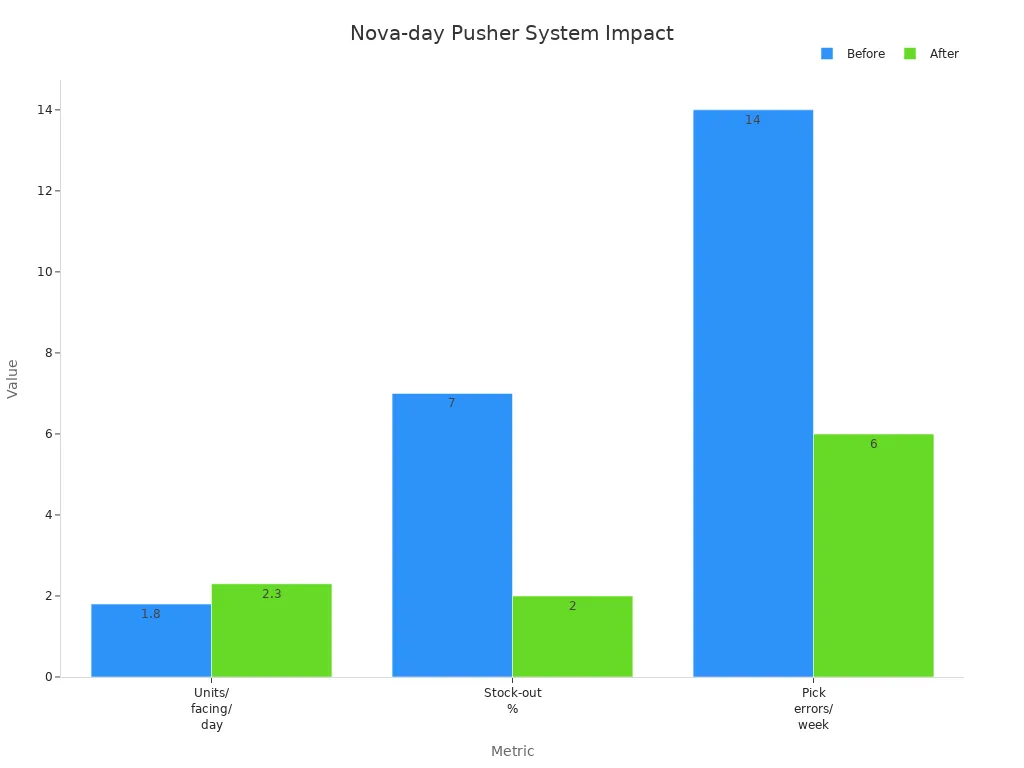
You can see that fewer stock-outs and errors mean less time fixing mistakes. Staff spend less time on shelf maintenance and more time helping shoppers. Nova-day’s shelf roller track also helps. A pharmacy that switched to roller tracks cut shelf organizing time in half. Products roll forward on their own, so you do not need to pull items to the front. This keeps shelves full and tidy, which helps retailers save labor every day.
Optimizing Inventory and Scheduling
You can make inventory checks faster with Nova-day’s automated systems. Manual inventory takes a lot of time and can lead to mistakes. Automated systems give you real-time data. You know when to restock and what is running low. This helps you plan your staff schedules better. You do not need to guess when shelves need attention.
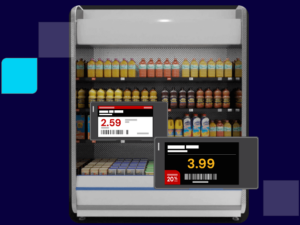
The ESL removal tool also helps you update prices quickly. You do not need to change paper tags by hand. Stores that use electronic shelf labels save up to 12 hours of labor each week. Staff can focus on customer service instead of switching price tags. The table below shows the benefits:
| Benefit Type | Description |
|---|---|
| Labor Savings | Staff save hours each week by not changing paper tags. |
| Pricing Accuracy | Automated updates keep prices correct and reduce errors. |
You can update all prices at once. This keeps prices right and reduces costly mistakes. Retailers save labor by using tools that make inventory and scheduling easier.
Enhancing Accuracy and Efficiency

You can boost accuracy and efficiency with Nova-day’s solutions. Automated shelf management reduces shelf maintenance time by up to 60%. A mid-size store can save $10,800 each year. Products stay visible, and you avoid empty facings. This means you sell more and lose less to out-of-stocks.
| Improvement Type | Measurement/Impact |
|---|---|
| Labor Savings | Reduces shelf maintenance time by up to 60% |
| Cost Savings | $10,800/year for a mid-size store |
| Sales Improvement | Faster product movement leads to quicker sales |
| Stock-Out Reduction | Keeps stock visible, reducing stock-outs |
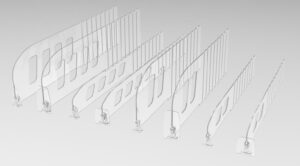
Nova-day’s adjustable dividers and pushers help you organize products fast. You can change shelf layouts without much effort. Dividers adjust quickly, so you save time during planogram changes. Automated pusher systems keep products lined up, so you do not need to fix them by hand. Staff spend less time on routine tasks and more time helping customers.
Tip: When you use Nova-day’s solutions, you can focus on growing your business instead of fixing shelves. Retailers save labor, cut costs, and improve the shopping experience.
Case Studies and Success Stories
Large Retailers
Big stores use automatic merchandising to save time and work better. Many famous stores now have smart shelf systems. These systems help cut down on hand work and keep shelves tidy. The table below shows how some big stores use these tools:
| Retailer | Solution Used | Labor Savings |
|---|---|---|
| Walmart | Shelf-scanning robots | Significant reduction in manual auditing hours |
| Schnuck Markets | Computer vision shelf monitoring | Substantial annual savings per store |
| Carrefour | Focal Systems shelf monitoring | Enhanced efficiency in inventory management |
| Loblaws | Focal Systems shelf monitoring | Improved labor allocation and reduced costs |
These stores save time by letting technology do jobs that took hours before. Shelf-scanning robots check if shelves are empty or full. This lets workers help shoppers instead of walking around to check shelves.
Stores also see big improvements they can measure. Some companies finish their end-of-period reports 34% faster at many stores. Others cut reporting time from two weeks to just a few days. These changes help you make quick choices and keep your store running well.
Small and Medium Businesses
Small and medium stores can also use automatic merchandising to save time. Many use electronic shelf labels and shelf tools to work faster. You do not have to change paper price tags by hand. This helps stop mistakes and keeps prices right.
Here is a quick look at how labor savings compare:
| Retailer Type | Labor Savings Description | Challenges Faced |
|---|---|---|
| Large Retailers | Benefit from reduced labor costs but may have more complex operational needs. | May face challenges in managing large inventories and frequent price changes. |
| Small Businesses | Experience significant labor savings by using electronic shelf tags for price updates. | Often struggle with high frequency of price changes, leading to increased labor costs and inefficiencies. |
Small stores often have trouble with lots of price changes. Nova-day’s solutions help you update prices fast and keep shelves neat. Many stores say they make decisions faster and work better each year. Some even get data eight times faster, so they can react quickly when things change.
Note: When you use automatic merchandising, your team has more free time. You can focus on helping customers and growing your store, no matter how big or small it is.
Challenges and Considerations
Implementation Costs
You might have to pay a lot at first when you use automatic merchandising systems. These costs come from buying new equipment, updating software, and teaching your team. Many retailers worry about spending too much money, especially if they use old systems. You can handle these costs by starting with pilot programs. Pilot programs let you see if the system works well before you spend more. Some retailers also try to find partners or grants to help pay for their projects.
Here is a table that shows common challenges and solutions:
| Challenge | Solution |
|---|---|
| Data silos and integration complexity | Pick platforms that work well together or use a central data warehouse. |
| Unrealistic expectations | Set small goals and use pilot programs to show results. |
| Measuring true ROI | Track starting numbers and compare pilot groups to control groups. |
You can check your return on investment by looking at inventory turnover, stockout rates, and gross margin return on investment (GMROI). These numbers show how fast you sell products and how much money you make.
Integration and Training
You need to connect new systems to your current setup. Connecting with old systems can be hard. You should check your store’s setup and plan to add new systems slowly. This helps you avoid problems and keeps your store working well.
Training your staff is important. You can use short lessons and real-life examples. Just-in-time support lets your team get help right when they need it. Active learning, like answering questions about real situations, keeps employees interested.
Here are some best practices for training:
- Use support at the point of need so staff learn as they work.
- Break training into small pieces for easier understanding.
- Encourage active learning with real-life situations.
Your team may not like new changes at first. Clear communication helps everyone understand. Show how automation makes their jobs easier. Tell your staff that new technology is a tool to help them, not replace them.
Tip: Start with small steps and keep your team involved. This makes the change easier and builds trust.
You should also watch for risks like privacy concerns, data quality problems, and security issues. Good rules and clean data pipelines keep your brand safe and help your team do well.
Nova-day’s automatic merchandising can change your store in big ways. Many stores get great results with automation, cost tracking, and tools for customers.
- Automation means less hand work and faster jobs.
- Cost optimization helps you make better choices.
- Customer-focused ideas help shoppers come back.
- New ideas and smart buying make your products better.
Here are some steps to help you start:
- Look at what your business needs.
- Work with a provider who gives help and can change things for you.
- Pick systems that can grow as your store gets bigger.
FAQ
How does automatic merchandising help you save time?
Automatic merchandising keeps products organized and front-facing. You do not need to fix shelves by hand as often. This lets you spend more time helping customers and less time on routine shelf work.
Can you use Nova-day’s systems in cold or refrigerated areas?
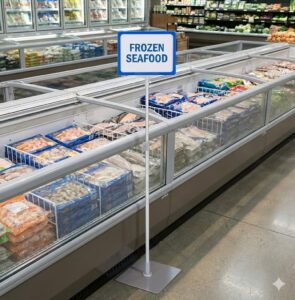
Yes, you can use Nova-day’s pusher systems and roller tracks in coolers and chillers. These products work well in both cold and room-temperature environments.
What products work best with Nova-day’s pusher system?
You can use the pusher system for many items, like beverages, snacks, frozen foods, and health products. The system adjusts to fit different product sizes and shapes.
Do you need special training to use Nova-day’s ESL removal tool?
No, you do not need special training. The ESL removal tool has a simple design. Any staff member can use it safely and quickly.
How do you start using automatic merchandising in your store?
Tip: Start small. Try one section first. Watch how much time you save. Then, expand to other areas as you see results.